

Acer Predator Helios Neo 16S AI PHN16S-71 Gaming Laptop, Intel Core Ultra 9 275HX, 32GB DDR5, 1TB SSD, 16" WQXGA OLED 240Hz, Aluminum Chassis, Abyssal Black
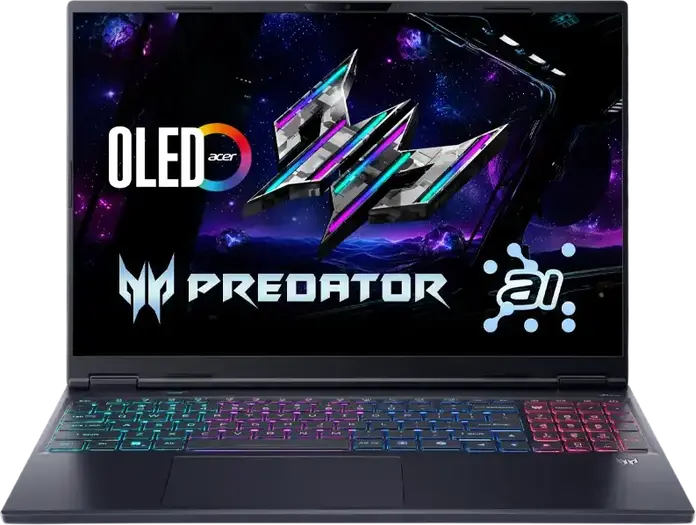


Acer Predator Helios Neo 16S AI PHN16S-71 Gaming Laptop, Intel Core Ultra 9 275HX, 32GB DDR5, 1TB SSD, 16" WQXGA OLED 240Hz, Aluminum Chassis, Abyssal Black
Description
The Acer Predator Helios Neo 16S AI PHN16S-71 is a high-performance laptop designed for demanding tasks and gaming, finished in Abyssal Black. At its heart is the Intel Core Ultra 9 275HX processor featuring 24 cores that reach speeds up to 5.4 GHz, supported by 32GB of fast 6400 MHz DDR5 memory which can be expanded up to 64GB via two slots. A 1TB PCIe NVMe SSD provides ample space for large files and quick boot times, while the system runs on Linux eShell. Visuals are handled by a 16-inch OLED anti-glare screen with a 2560x1600 WQXGA resolution and a 240 Hz refresh rate, ensuring smooth motion and deep contrast. The 16:10 aspect ratio offers more vertical workspace, and the 500 cd/m2 brightness makes it easier to see in well-lit rooms. This power is housed in an aluminum chassis that measures roughly 35.7 cm wide and 27.6 cm deep, keeping the weight at 2.3 kg for a balance between durability and portability. You can connect various peripherals through a diverse array of ports, including HDMI 2.1, Thunderbolt 4, three USB 3.2 Type-A ports, and an RJ45-LAN port for stable wired internet. For wireless needs, it includes Wi-Fi 6E and Bluetooth 5.3. The experience is rounded out with a 2 MP camera, stereo speakers, and an RGB backlit chiclet keyboard, all powered by a 76 Wh four-cell battery.
Features
Connectivity & Ports
Display
Memory & Storage
Multimedia & Features
Processor
Physical Characteristics
Reviews
Guides and advice
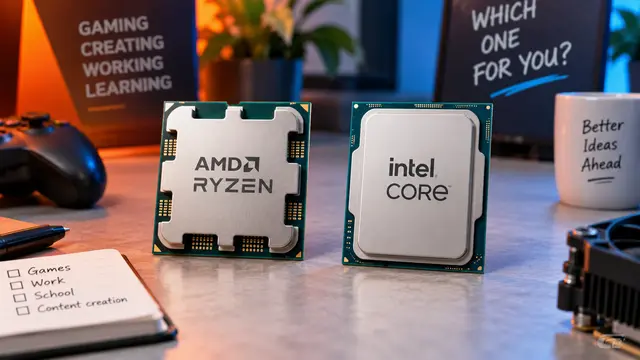
AMD or Intel? How to choose the right processor for your next computer
Your laptop’s fan becomes louder as you join a video call. A spreadsheet is open, several browser tabs are waiting, and switching between them no longer feels effortless. You start looking for a replacement and find two computers with similar screens, memory and prices. One has an AMD Ryzen processor. The other has an Intel Core.
Read article
How to choose a laptop: a practical guide to screens, performance and everyday comfort
The browser is open beside a spreadsheet, a video call is about to start, and your laptop is already asking for its charger. Perhaps the computer still feels reasonably fast, but its screen is uncomfortable, the keyboard misses the occasional letter, or carrying it to work has become a daily nuisance.
Read article