

Acer Aspire Go 16 AG16-71P Laptop, Intel Core 9 270H, 16GB DDR5 RAM, 512GB NVMe SSD, 16" WUXGA IPS 120Hz Anti-Glare Display, Linux eShell, Pure Silver


Acer Aspire Go 16 AG16-71P Laptop, Intel Core 9 270H, 16GB DDR5 RAM, 512GB NVMe SSD, 16" WUXGA IPS 120Hz Anti-Glare Display, Linux eShell, Pure Silver
- 14 Days Return
- 100% Secure Payments
- Invoice Included
Description
The Acer Aspire Go 16 AG16-71P is a versatile laptop designed for home and office environments, blending a large screen with a portable frame. It is powered by an Intel Core 9 270H processor featuring 14 cores and 20 threads, which can reach speeds up to 5.8 GHz in turbo mode to handle demanding multitasking. This performance is supported by 16GB of DDR5 RAM, though you can expand this capacity up to 32GB using the two available SO-DIMM slots, and a 512GB M.2 PCIe NVMe SSD for fast boot times and data access. You will find plenty of workspace on the 16-inch IPS display, which uses a 16:10 aspect ratio and WUXGA resolution to provide more vertical room for documents and web pages. The screen is particularly smooth thanks to a 120 Hz refresh rate and features an anti-glare surface with 300 cd/m2 brightness to reduce reflections in bright rooms. Encased in a Pure Silver plastic chassis, the device remains relatively light at 1.65 kg and slim at 1.8 cm, making it easy to move between different workstations. Connectivity is handled through two USB-C ports, two USB 3.2 Type-A ports, an HDMI output, and a standard audio jack, while wireless tasks are managed by Wi-Fi 6 (802.11ax) and Bluetooth 5.1. The laptop comes with Linux eShell pre-installed and includes practical additions like an illuminated keyboard for working in dim light and a full HD webcam for clear video calls. A 53Wh lithium-ion battery provides the necessary power to keep you productive throughout your day.
Features
Display & Graphics
Processor & Performance
Storage & Connectivity
General Specifications
Battery & Portability
Reviews
Guides and advice
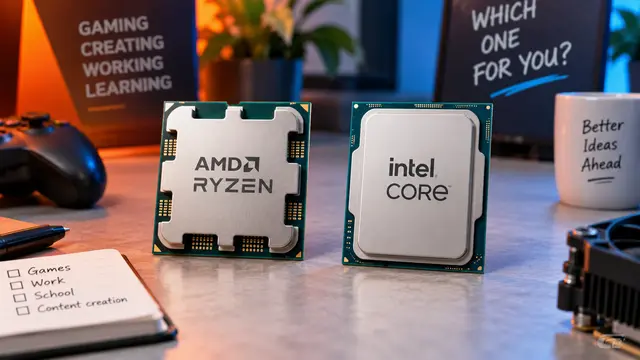
AMD or Intel? How to choose the right processor for your next computer
Your laptop’s fan becomes louder as you join a video call. A spreadsheet is open, several browser tabs are waiting, and switching between them no longer feels effortless. You start looking for a replacement and find two computers with similar screens, memory and prices. One has an AMD Ryzen processor. The other has an Intel Core.
Read article
How to choose a laptop: a practical guide to screens, performance and everyday comfort
The browser is open beside a spreadsheet, a video call is about to start, and your laptop is already asking for its charger. Perhaps the computer still feels reasonably fast, but its screen is uncomfortable, the keyboard misses the occasional letter, or carrying it to work has become a daily nuisance.
Read article